
Release
Splitkick v1.5.15: sidebar tabs and agent templates
Starred, To-Do and Graphs become sidebar tabs, agents sort projects into folders and label their own sessions, and Splitkick no longer needs the GitHub CLI.
Splitkick v1.5.15 came out on 13 November 2026. The sidebar gets tabs, agents can tidy up the sidebar themselves, and the first start is shorter: one AI backend is enough, the GitHub CLI is optional.
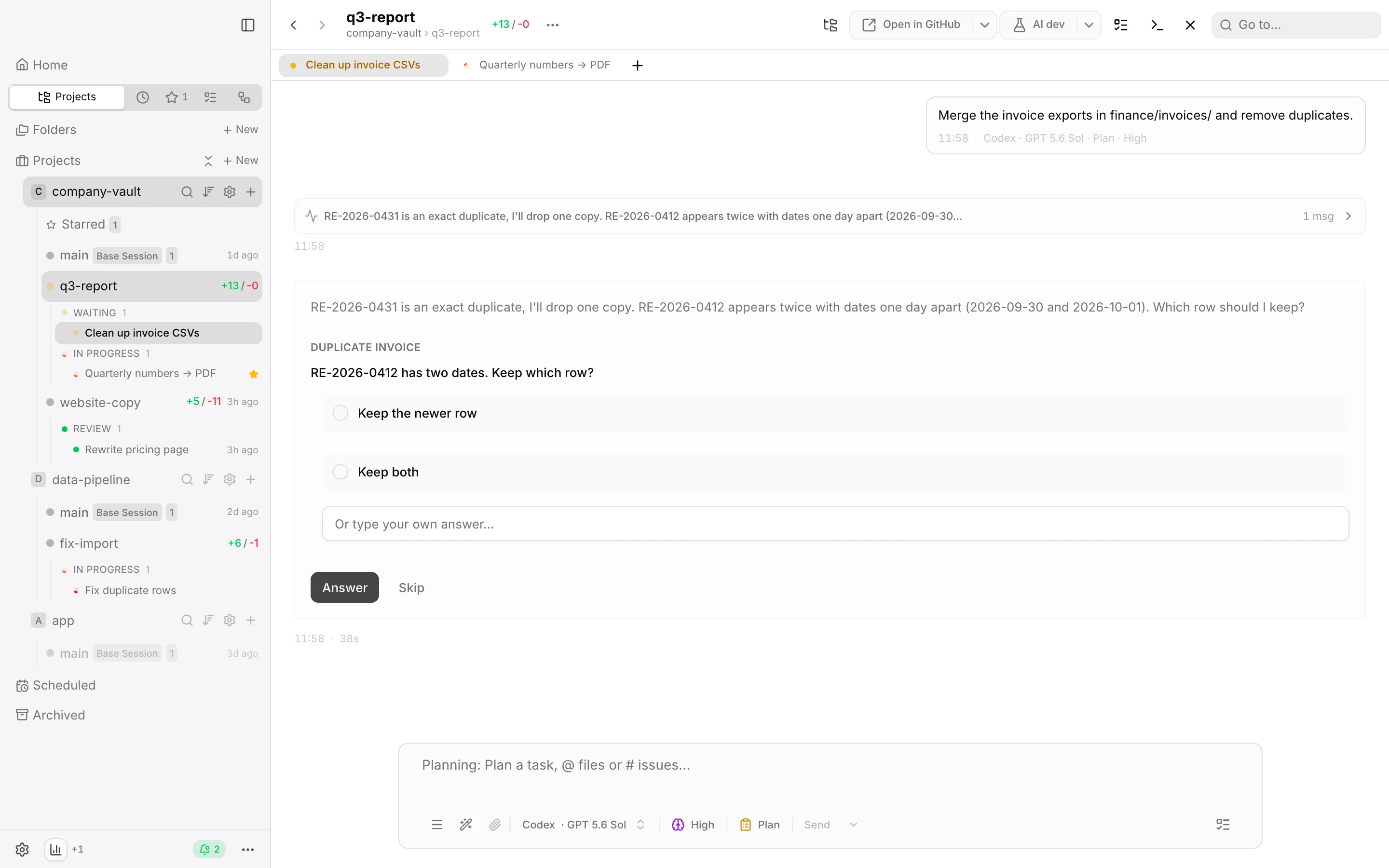
Home sits above the tabs; Projects is selected, the other tabs show as icons with counts.
New
- Agent templates. Settings → Agents offers four starting points: Vision keeper, Project manager, Worker and Reviewer.
- Agents sort the sidebar. New MCP tools
create_folder,move_project,rename_folderanddelete_folderput projects into folders. - Agents label their session. New MCP tool
set_session_label; the label shows at once in the sidebar, the tab and Home.
Changed
- Sidebar tabs. Projects, Recent, Starred, To-Do and Graphs are tabs with counts; Home sits above them.
- The GitHub CLI is optional. Setup is done when one AI backend is ready; GitHub features say when
ghis not set up. - Settings → Web Browser. Browser for agents and Claude in Chrome now share one pane; Claude in Chrome is off for new installs.
- Setup goes straight to the local app. It no longer asks for a server, and “Install via SSH” is off for now; add a remote with its Web Access URL.
- Find in chat is per session. Each session keeps its own search and match.
Fixed
- First start is one flow from setup to Done to the feature tour, and nothing else opens on top of it.
- The feature tour fits any window, also a phone, and has a Back button.
- The GitHub login in setup no longer loops; it shows the error with Check Again and Log In Again.
- AskUserQuestion works on Windows again.
- Notifications show again in the desktop app, and a finished update offers Restart Now. On v1.5.9 to v1.5.14: after the download, restart with the Updates button in the sidebar footer, or install the DMG.
- The Network tab shows only the sessions around the current one.
- A right-click on the To-Do list on Home opens the full session menu.
- “Edit connection” works when a remote is unreachable.
- Find in chat stays on the match while new messages arrive.
Get it
Splitkick updates itself in the app. New here? Get it on the download page, for the Mac and for Windows. Every change, with details, is in the changelog.